How do I change the products in my subscription?Updated 2 months ago
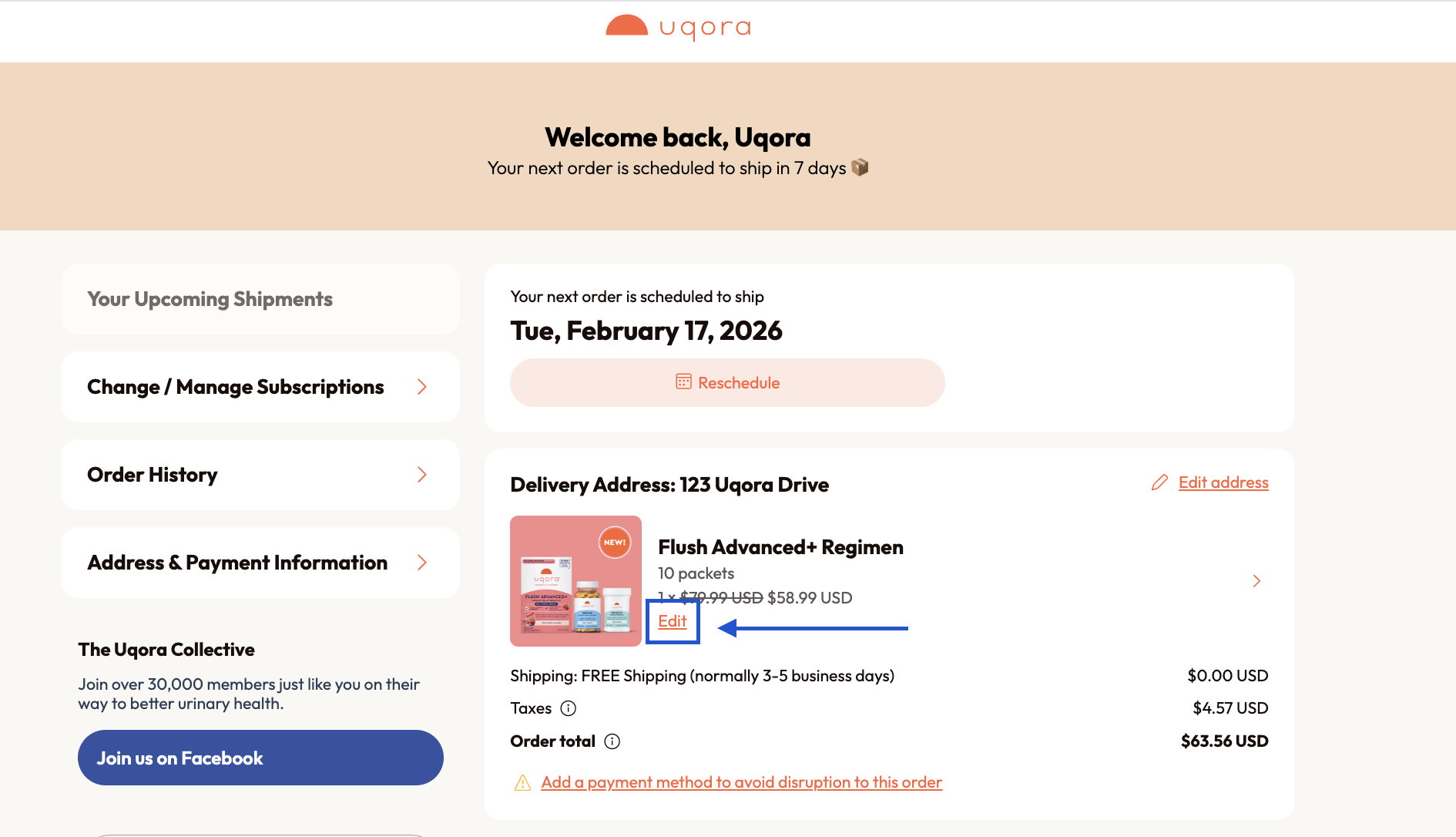
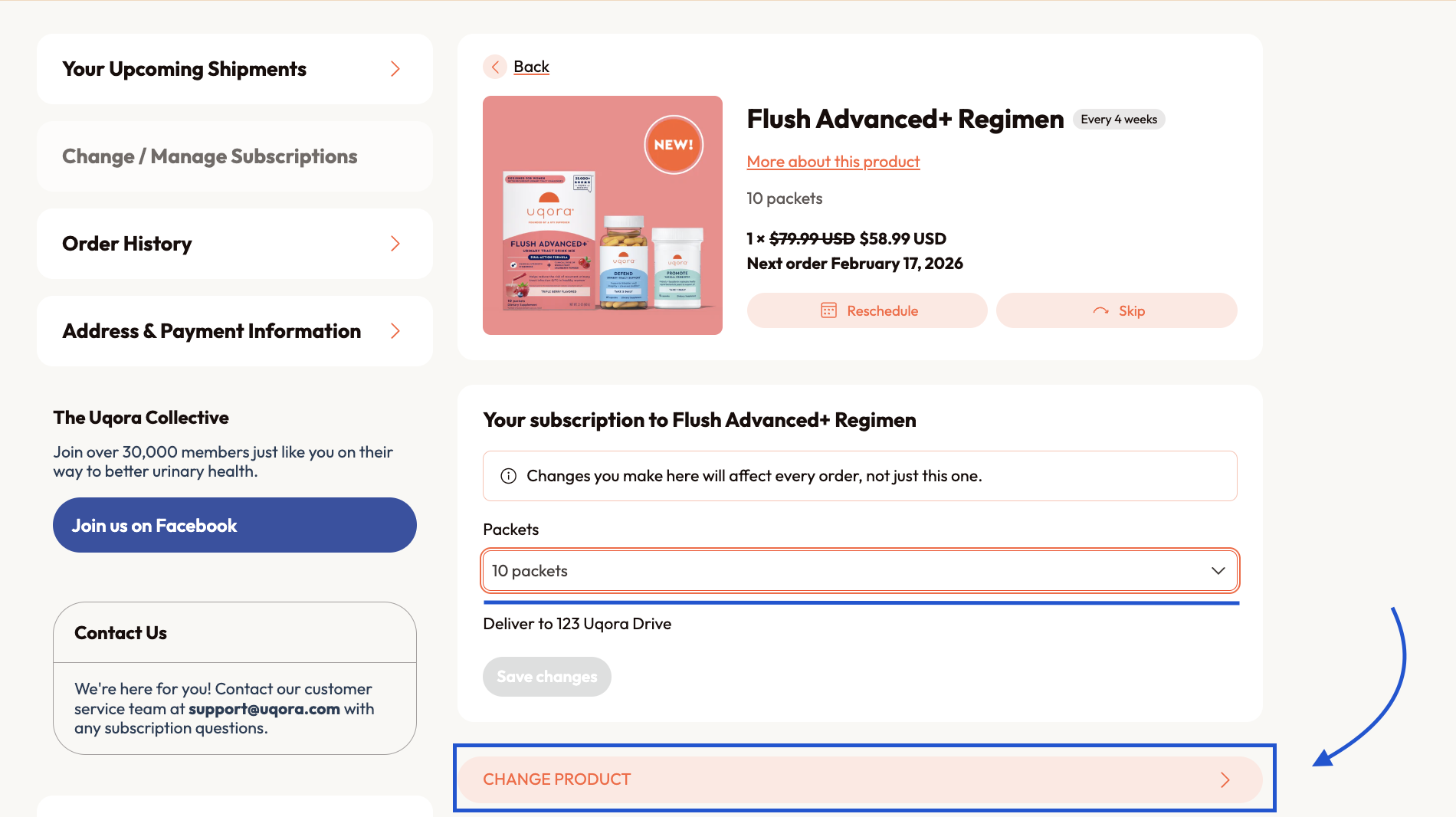
You'll first want to log in to your account here. From your account's homepage, you'll see your next scheduled order, and the option to "Swap/Edit" your bundle. If you're looking to only adjust your Flush quantity, you'll see this option on the next page under "packets". Click to choose either 10, 20, or 30 packets each order. If you want to remove an item from your bundle or swap which item you are receiving, you'll click "Change Product" to see the options for your subscription bundle or item. You can also access these changes by clicking on the "Change / Manage Subscriptions" section of your account portal.
If you need help making these adjustments or have any other questions, please email our Support Team at [email protected]. We're happy to help!