
How do I change the flavor of Flush in my subscription?Updated 2 months ago
To swap your flavor or Flush option, you'll first want to log in to your account here.
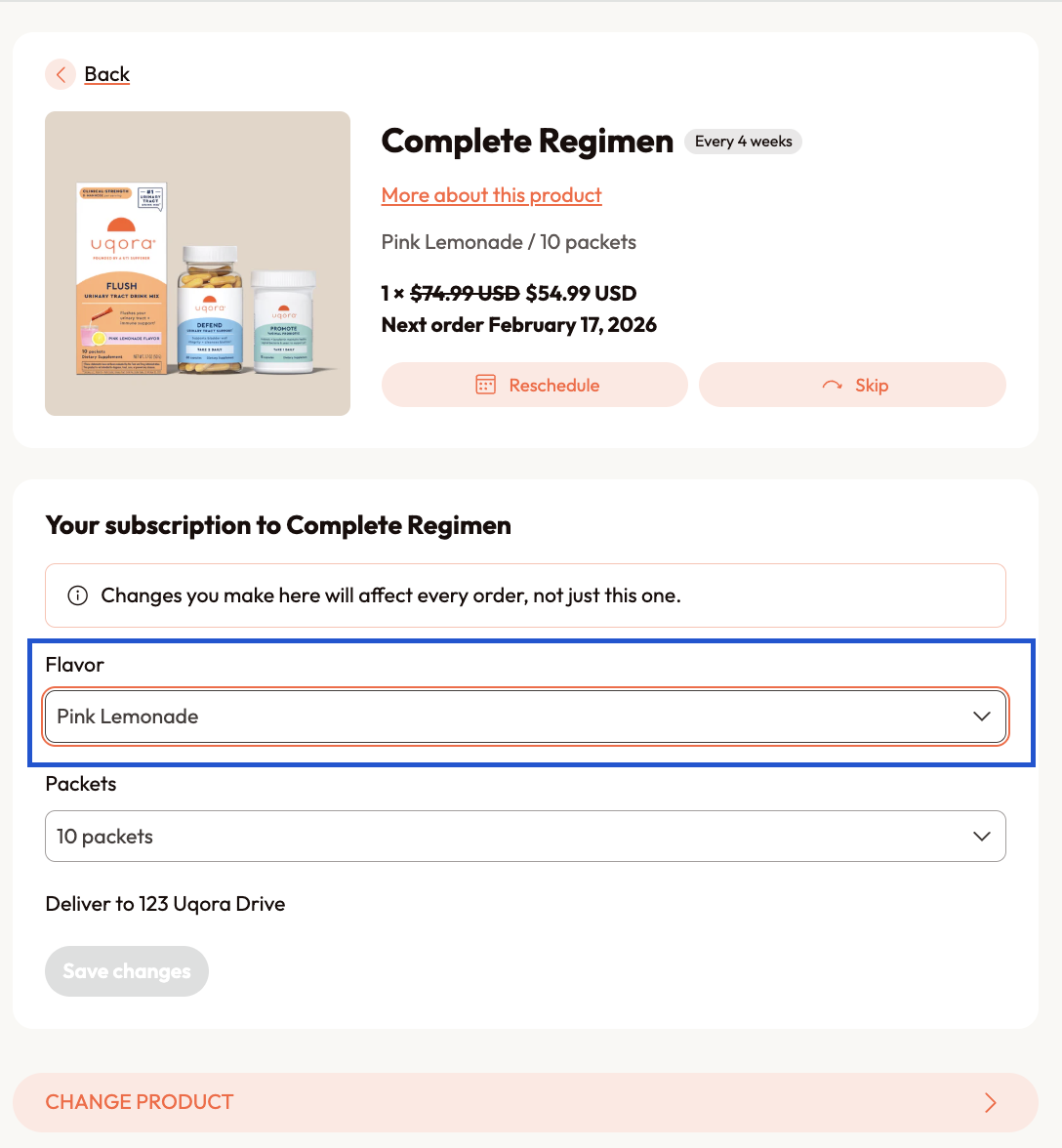
From your account’s homepage, you’ll see your next scheduled order and the option to “Edit” your bundle. On the next page, you should see the option to select a flavor: either Pink Lemonade or Unflavored! You can also access these changes by clicking on the “Change / Manage Subscriptions” section of your account portal.
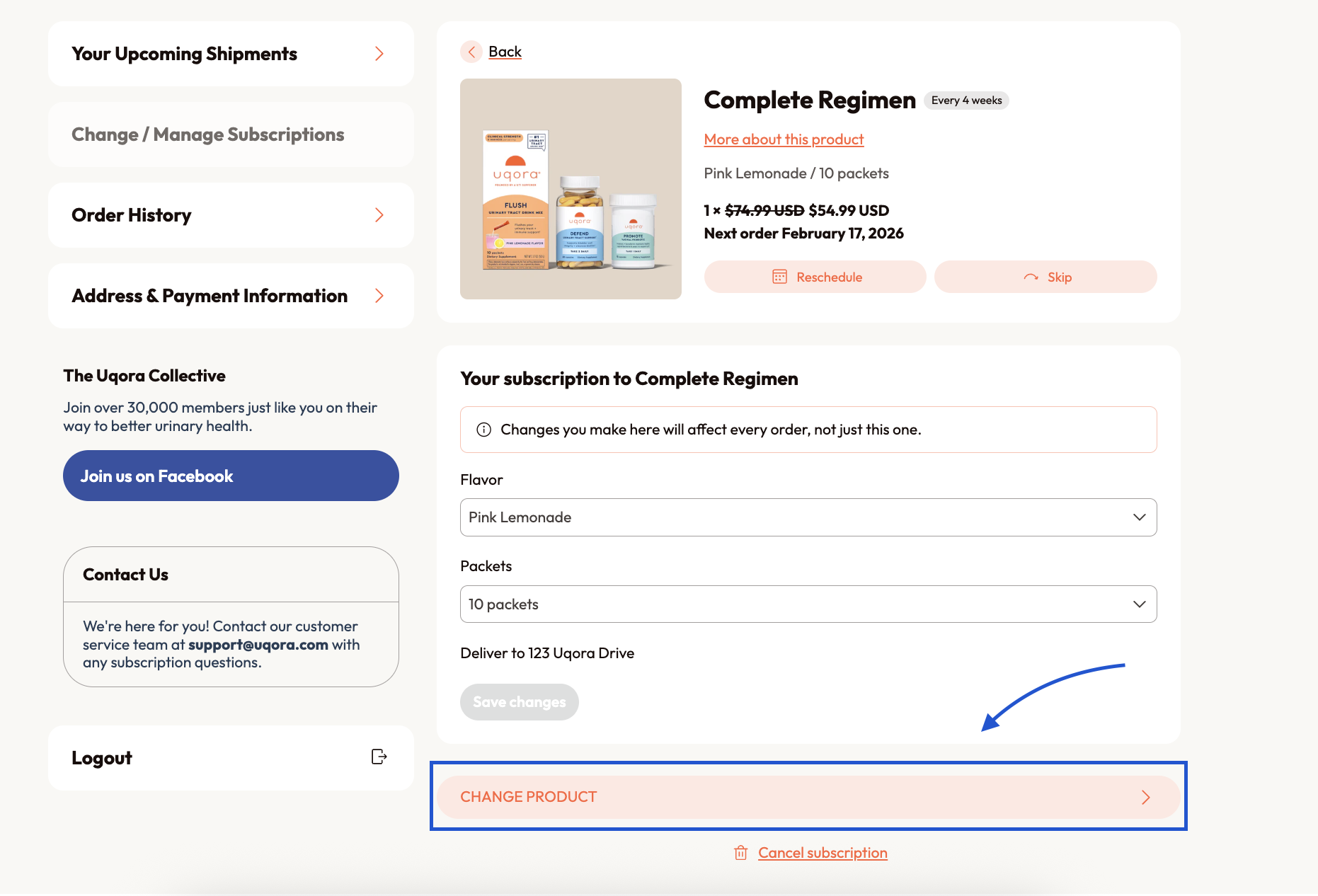
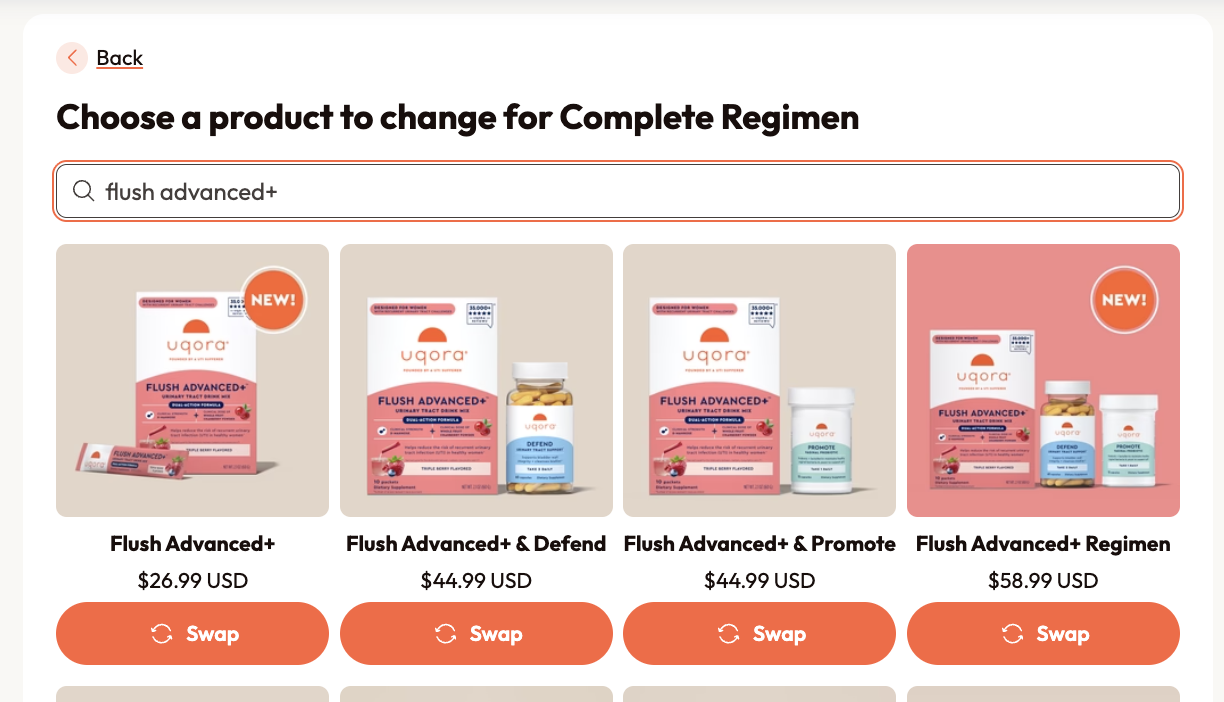
To swap from Flush to Flush Advanced+, you'll follow the same login steps. From the homepage, press "Edit". You'll the option, "Change Product" at the bottom of the next page. Click this, and our site will pull up a list of all of our products + bundles. Scroll down to locate the Flush Advanced+ item and bundles - you may need to press "load more" to locate them, or you can search for "Flush Advanced+" in the search bar.
If you need help making these adjustments, please email our Support Team at [email protected] and we'll be happy to help!