How do I cancel my subscription?Updated 2 months ago
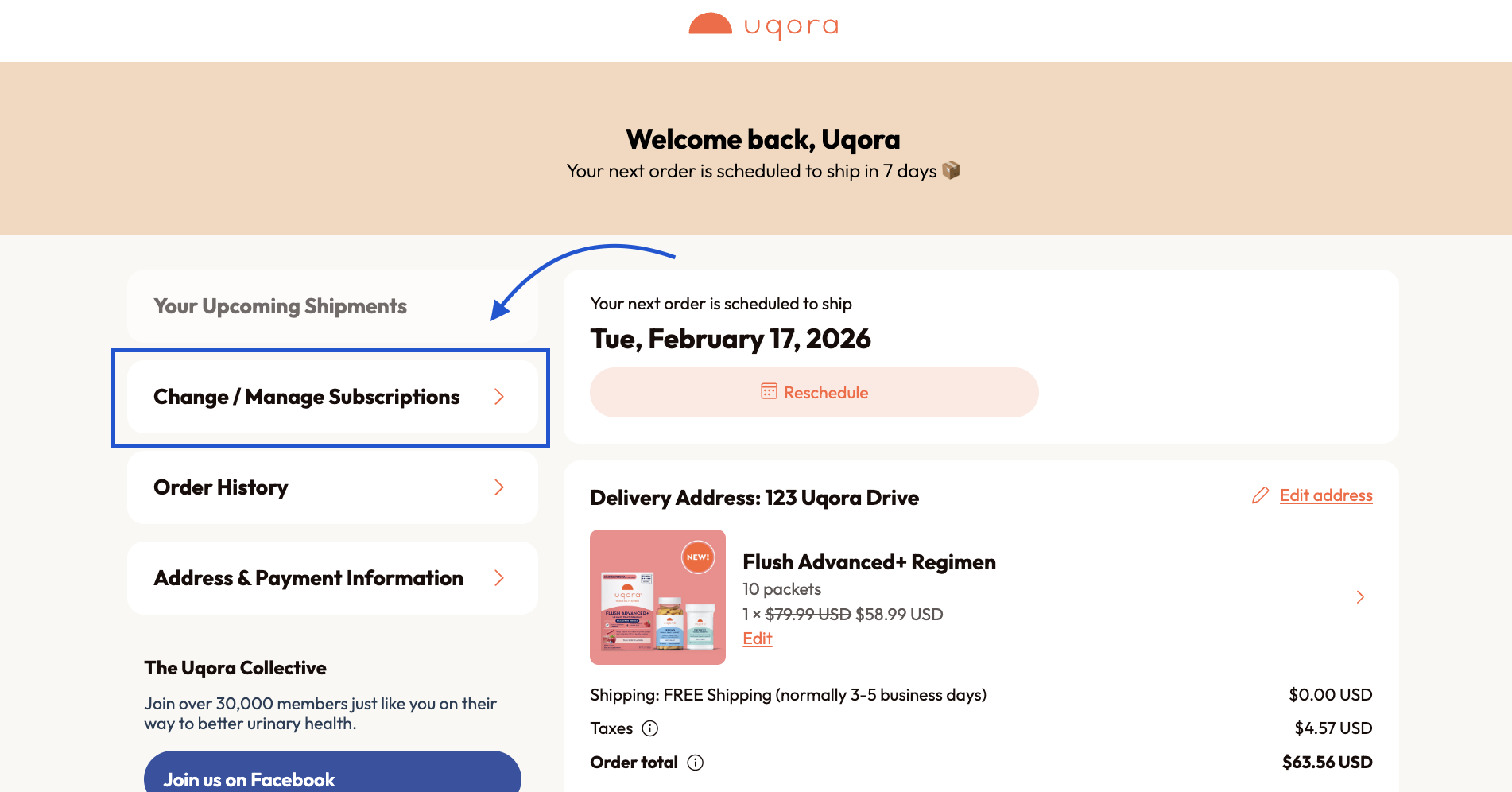
Often, people reach out to cancel because they’ve ended up with too much product. If you have too much Uqora on hand, you can easily delay your next order. All you’ll need to do is log into your account and click ‘Reschedule’ under ‘Your Upcoming Shipments’.
Sometimes we hear from people whose budget has changed. If that’s the case for you, please reach out to us via email ([email protected])—we want to do what we can to help you get urinary tract support at a price that fits your budget.
Regardless, if you want to cancel your subscription, you can do so by logging into your account here and selecting the 'Change / Manage Subscription' button on your subscriber homepage. Then, select the subscription you'd like to cancel from the list provided on the next page. From there, you'll press "Cancel Subscription," which is located toward the bottom of your screen in red. There will be prompts to complete your cancellation!